Customer Care
FAQs
Contact Us
Fraud Awareness
Limit & Fees
Home
Services
Wave Shop
Wave App
Wave Zay Sine
Wave Care Center
International Remittance
Partners
Promotion
Campaigns
Promotions
Events
User Guide
Wave App
Agent App
Merchant App
2C2P Wave App
Join Us
Partner with us
Work with Us
Media Center
Customer Care
FAQ
Contact Us
Fraud Awareness
Limit & Fees
Get the app
EN
MM
Wave App
Change Pin
Change PIN
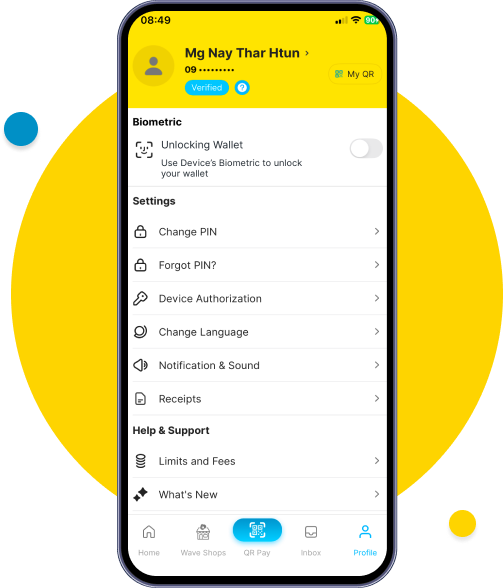
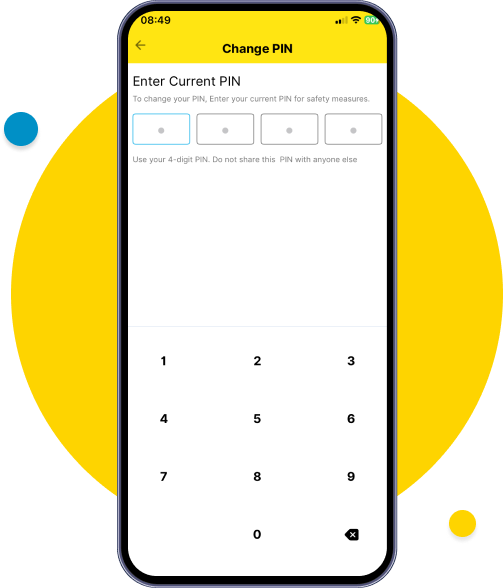
Go to Profile and tap on Change PIN.
Go to Profile and tap on Change PIN.
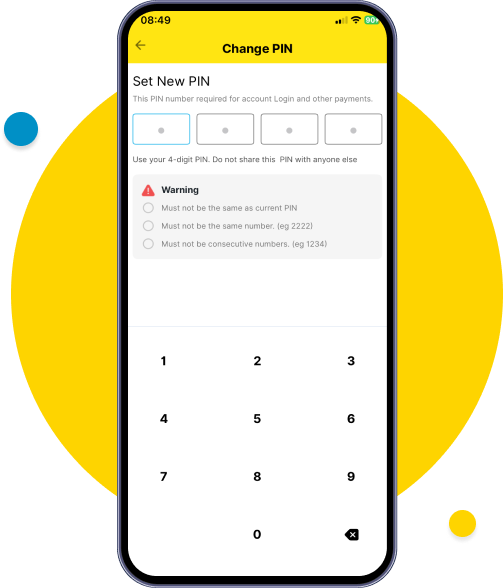
Set new PIN with security criteria.
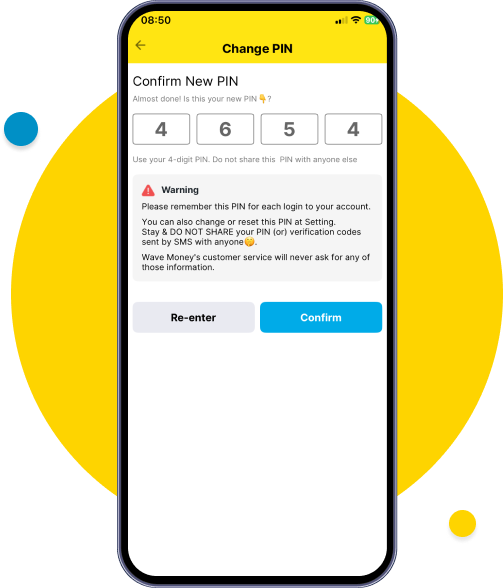
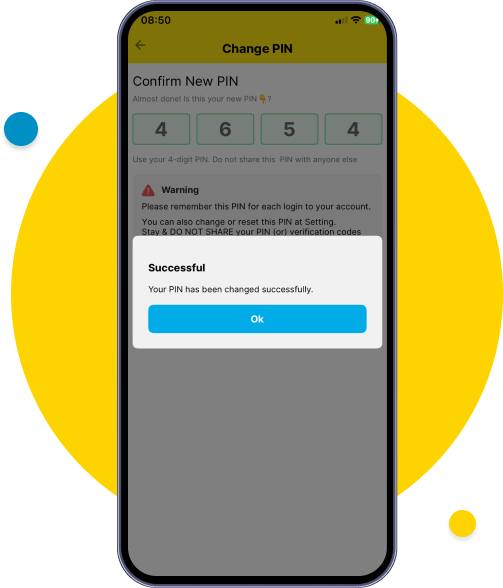
Review the new PIN and tap confirm.
Your PIN successfully changed and re-login with your new PIN.
Go to Profile and tap on Change PIN.
Go to Profile and tap on Change PIN.
Set new PIN with security criteria.
Review the new PIN and tap confirm.
Your PIN successfully changed and re-login with your new PIN.
Wavemoney © 2026. All rights reserved.Developed by
B360
900
(Atom Number)
097 9000 9000
(Non-Atom Number)
099 7782 7977
(For All Operator)
Call Us